Login Page
| Login Page Content Parameters | Back Forward Print this topic |
Login Page Content Parameters
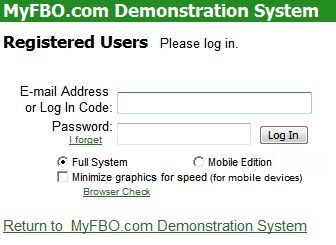
The Login Page Content parameters can be set by an Administrator from the Admin Tab / Parameters and Settings Menu. They control the page that every user of your MyFBO system uses to log in to the system. For more information about providing a login link on your web site, please read Linking with MyFBO.com.
Login Page
Login Page Content Parameters

Enable Auto-Login feature
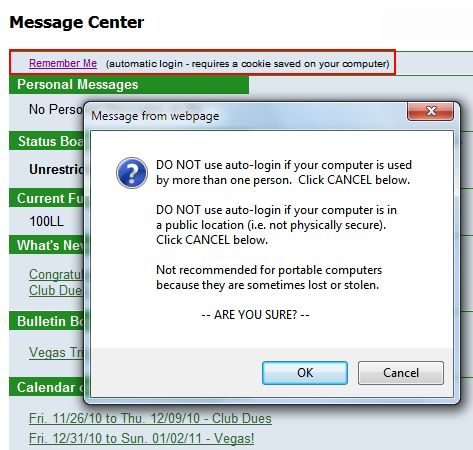
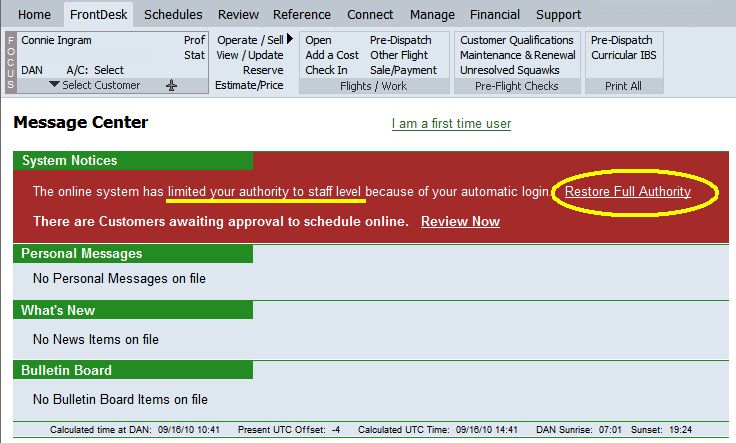
This parameter controls whether or not users see the auto-login checkbox on the login page. Auto login allows lower-level users (customers, instructors, and staff-level users) to login without re-entering login codes or passwords by placing a cookie on their computer. As a security measure, users with manager-level security or above have their authority temporarily reduced to staff level until they enter their password. This prevents unauthorized high-level access from an unattended computer.
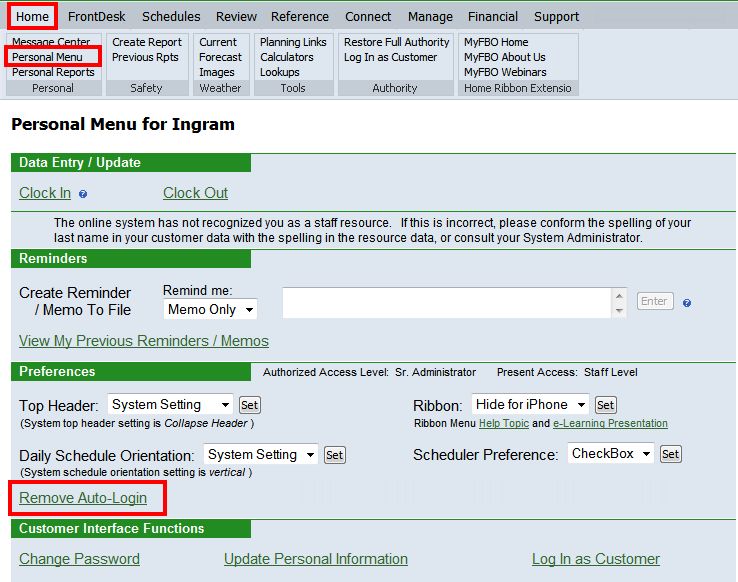
High-level users can restore their full authority from the Message Center or their Home Tab / Personal Menu.
All staff users can remove auto-login from their Home Tab / Personal Menu.
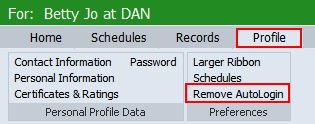
Customers can remove auto-login from their Profile Tab.
Enable ScheduleDirect Login & external schedule displays
This parameter must be enabled if you wish to use ScheduleDirect on your web site, which allows users to view a three-day schedule and select resources to be scheduled before logging in. For more information, please read Linking with MyFBO.com.
ScheduleDirect

Enable New User Entry Self-Entry Process
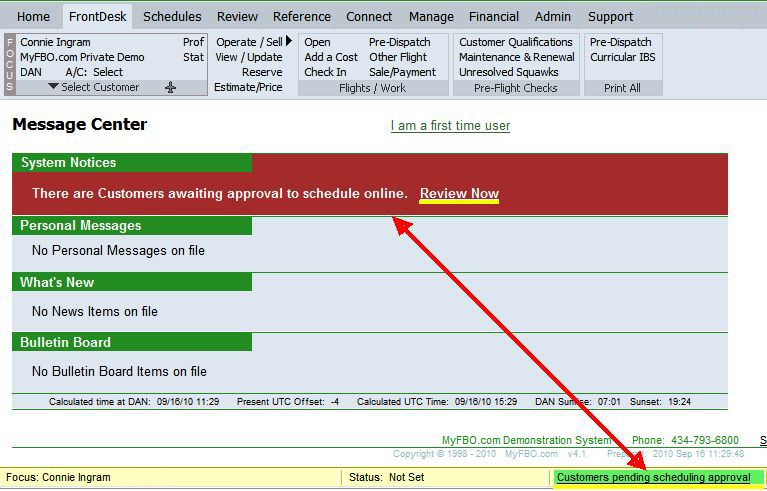
This parameter controls whether or not new users can register themselves from the login link on your web site. This is typically set to yes for flight schools and FBOs, and normally set to no for flying clubs, corporate flight departments, and shared ownership operators. If set to yes, a customer record is created, and the customer can request approval for scheduling. If scheduling approval is requested, notice is made by various methods to those with the authority to grant approval:
- As a red system message on the Message Center
- As a flashing message in the yellow status bar in the footer of the system
- Via the Review Tab / Pending Approval
- Via email to the email addresses set for Customer Info Changes in the Identification / Email Parameters.
Customers Awaiting Approval
| Copyright © MyFBO.com [email protected] |
12/08/10 cli